
Star finder
No telescope needed. Hold your phone up to the night sky, and Zenigo shows which stars, constellations and planets are in front of you. When it matters which star exactly, the camera checks the view against the stars themselves.
Point and look
The map follows your phone
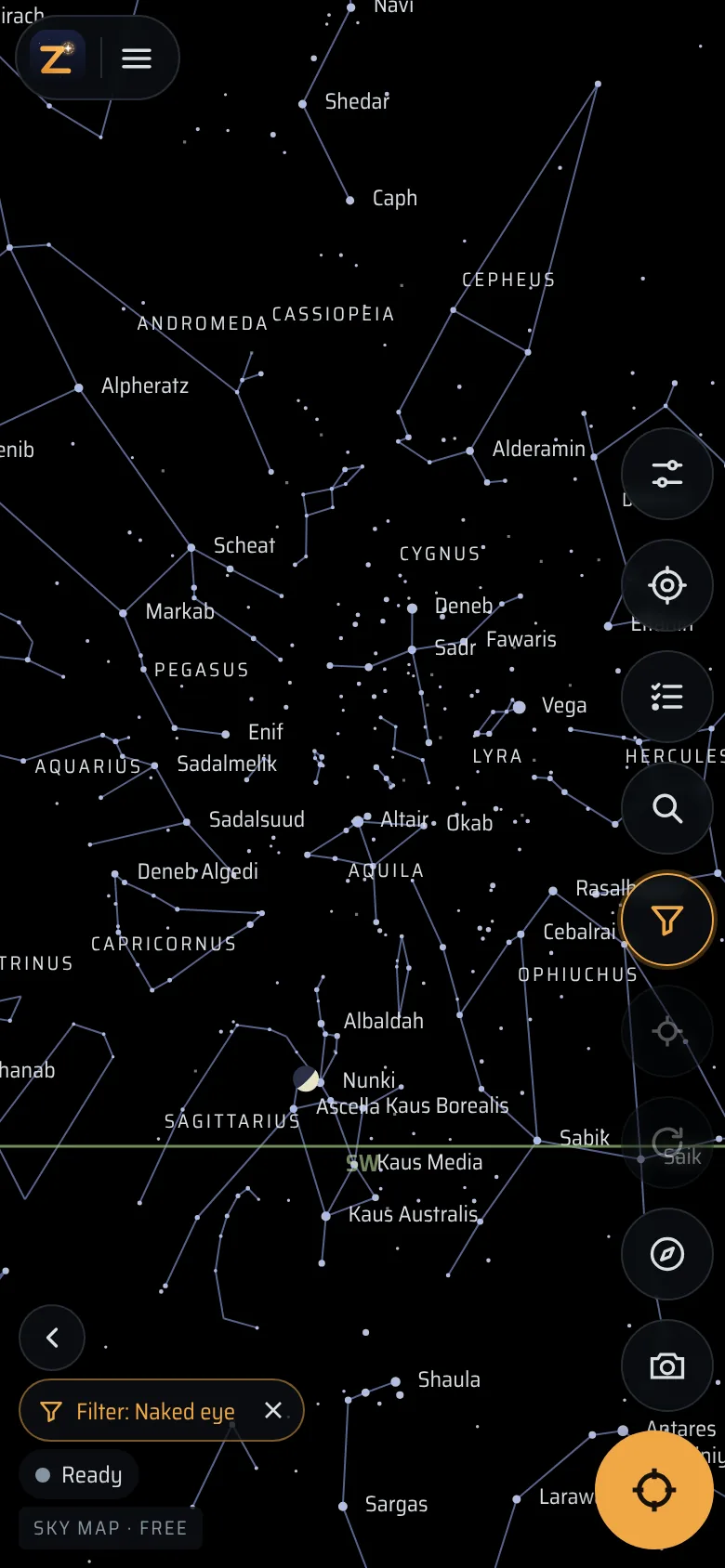
Turn on Align and hold the phone up like a window: the map shows the part of the sky behind it, with constellation lines and names, the bright stars and the planets. Turn around, look up, and it follows, using the compass and motion sensor.
The two boxes at the top give the direction you are looking in, as compass bearing and height above the horizon. The Naked eye filter keeps the map to what you can see without binoculars.
Recognised from the camera
Labels on the right stars
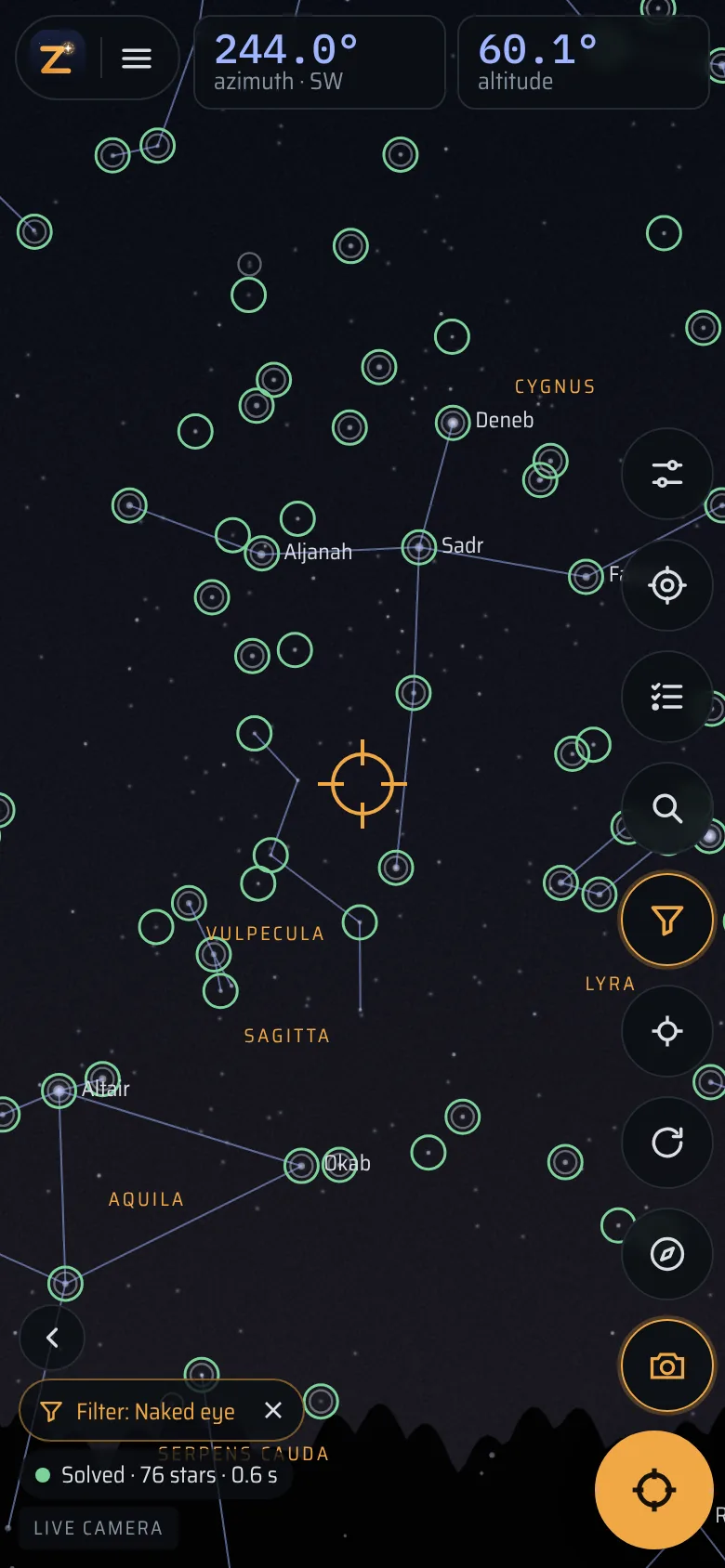
A phone’s compass is often several degrees off, sometimes far more next to metal, a car or a railing. So the map is a good guide, but on its own it can put a name next to the wrong star.
Point the camera at the sky and tap Locate: Zenigo picks out the stars in the image and matches their pattern against its catalogue, in about a second (the very first time up to ten, while it measures your camera’s field of view). From then on the names sit on the stars you see in the camera image, to a fraction of a degree. The green circles are the stars it recognised.
The first Locate offers a setup assistant for telescopes. Without one, tap Just locate.
What is that?
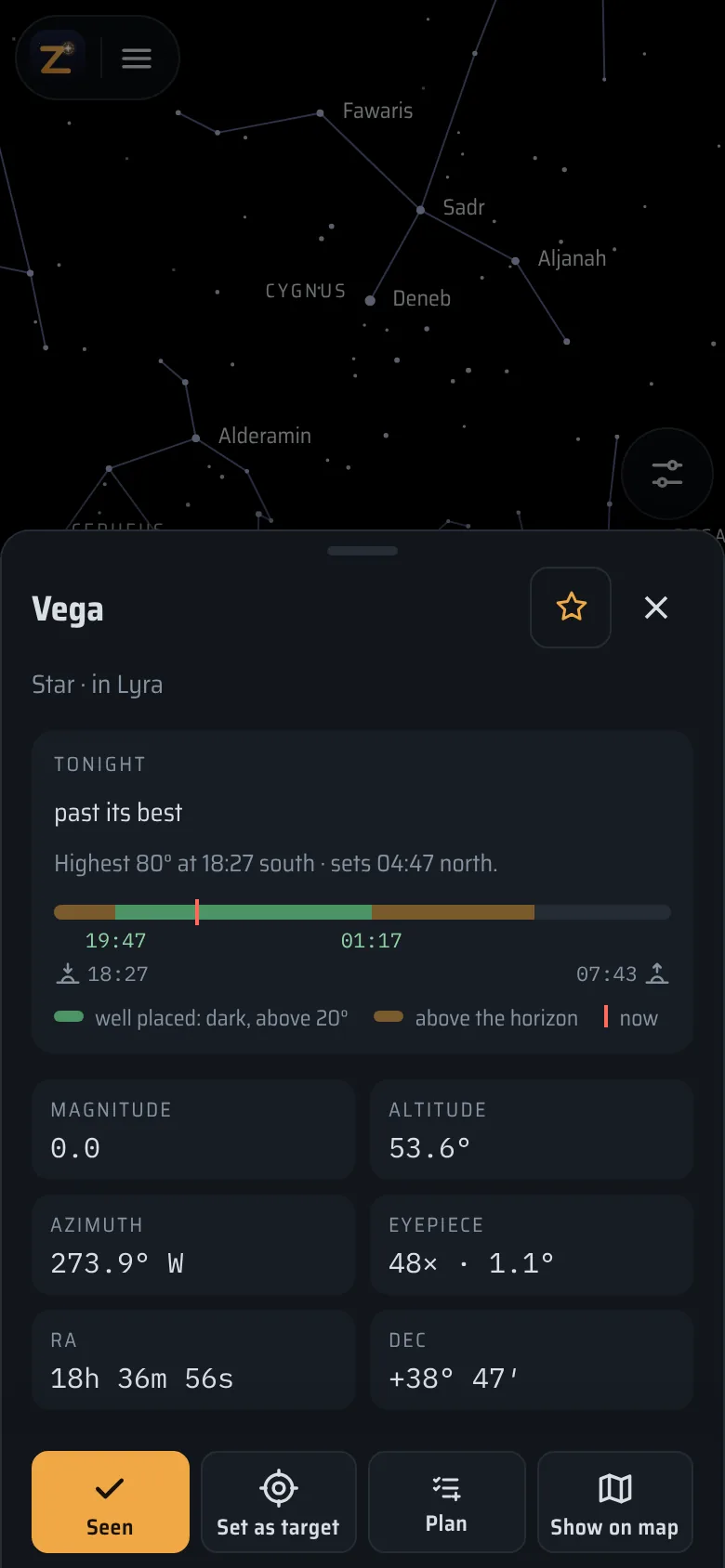
Tap a star, a planet or a satellite
- Stars: name, constellation, brightness, where it is now, and how high it climbs tonight. Links lead to Wikipedia and SIMBAD.
- The Moon: phase, age, the next full and new Moon, and the craters along the line between day and night tonight, which a pair of binoculars shows well.
- Planets: how far they are, whether they are in the evening or morning sky, and for Jupiter where its four big moons are right now.
- The ISS and bright satellites (with a connection): whether they are lit by the Sun and visible, or in Earth’s shadow, and when the next pass comes.
To find something, search for it by name, “Saturn” or “Andromeda Galaxy”, and make it the target: an arrow and two numbers tell you how far to turn and how high to look.
Tonight and later
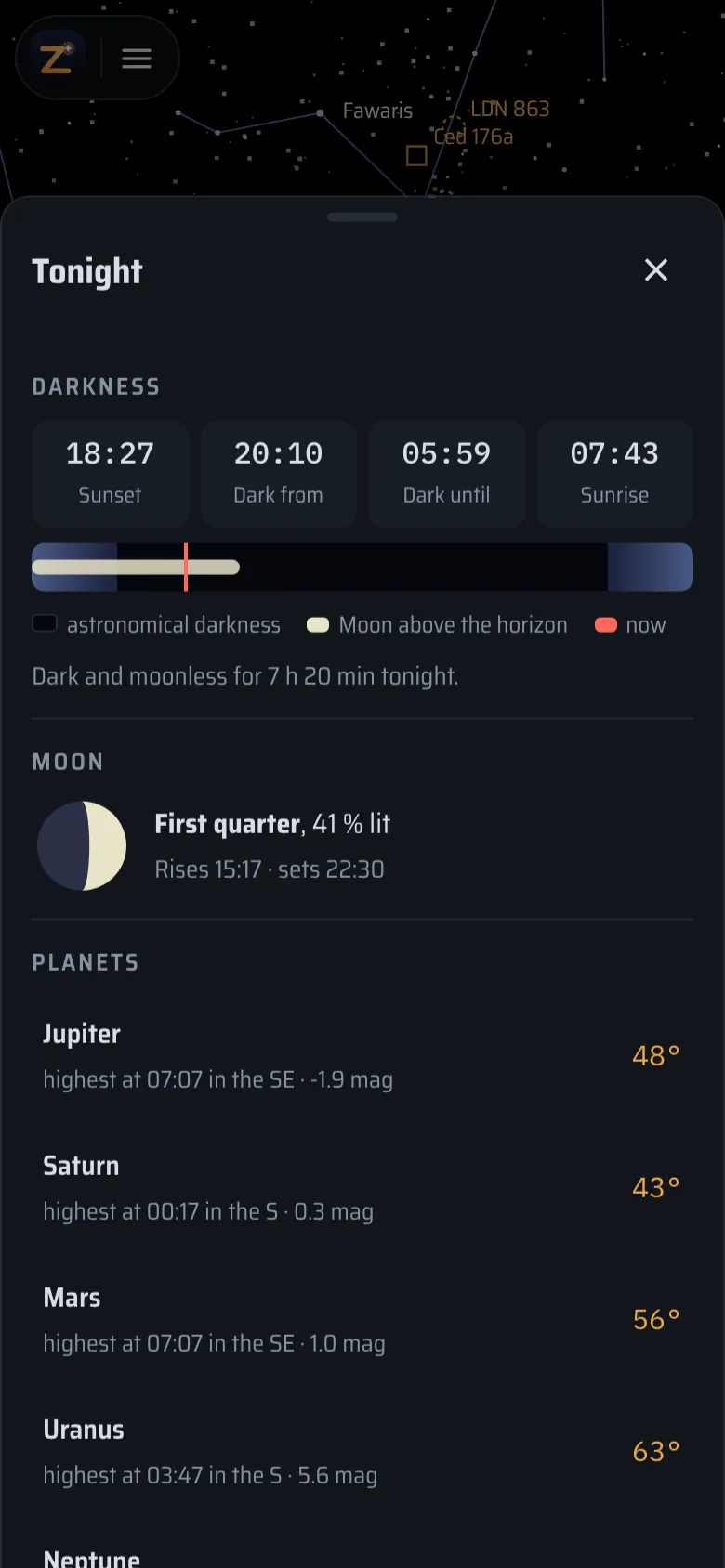
When to look, and at what
- Tonight shows when it gets dark, when the Moon rises and sets, and which planets are up.
- Coming up lists eclipses, the Moon passing close to a planet, two planets close together, and meteor showers with how much moonlight will interfere.
- Time moves the sky to any hour and date, for example to see where Orion will be at midnight, or when the ISS comes over.
- Took a photo of the night sky? Load it, and Zenigo works out where it was pointing and names the stars and objects in it.
Try it tonight
Open the app
zenigo.app/app in Safari or Chrome. Add it to the home screen once while you are online; after that it works without signal.
Set your location
Quick settings (the top round button) → GPS. A few kilometres of precision is enough.
Turn on Align and hold the phone up
The compass button. On iPhone, allow motion and orientation access. The map now shows what is behind the phone.
Locate for exact names
Point the camera at a part of the sky with several bright stars, hold still, tap Locate (the first time: Just locate).
It needs about ten stars in the camera image, so a reasonably dark sky away from street lights. Red light in Quick settings keeps your eyes used to the dark.
Later, with binoculars or a telescope
The same app at the eyepiece
Zenigo was made to guide a telescope. When you get binoculars on a tripod or a telescope, the phone sits on it and shows how far to push it to reach the target: features, which telescopes work.
Free, no ads, no account; your data stays on the device. Questions: FAQ.